Daily
Why I vibed it
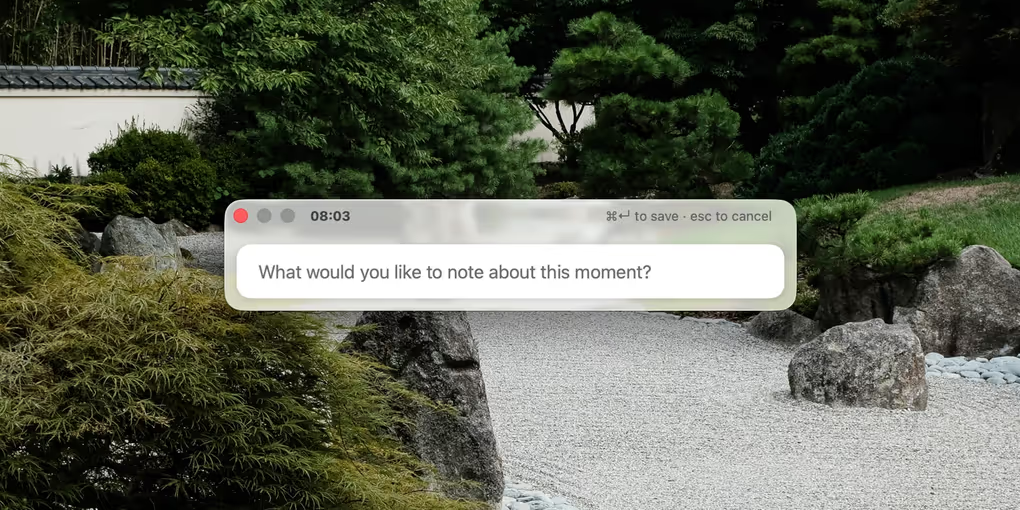
Come monday I often don't remember what I was doing the previous week. One of my least favorite things is having to hunt for documents and conversations for reference material for my quarterly check-ins. I vibed Daily to prompt myself at regular intervals to record what I was working on and what my thoughts were on it.
What it does
For each day, Daily creates a markdown file with a timestamp for each entry. It stores these markdown files in any folder you specify.
How I use it
I set it to prompt me at 30 minute intervals. Handy makes recording entries so much easier. When I want a summary of what I've been doing the last day, month, or quarter I simply launch the Claude cli in my folder and ask Claude.
Changelog
2026.08.25.1
- Added secure in-app updates powered by Sparkle
2026.08.25
- Redesigned the prompt window with a translucent glass look that grows as you type
- The prompt title bar now shows the time it fired, with the save and cancel hints beside it
- New Appearance setting: Follow System, Light, or Dark
- Pick your alert sound from the built-in macOS sounds, with a preview button in Settings
- Daily notes now use markdown headings - the date as an H1 and each entry time as an H2
June 8, 2026
- Redesigned the app icon and added a custom menu bar icon
- Redesigned the prompt window and polished the settings UI
June 6, 2026
- Folder picker now lets you create a new folder without leaving the app
June 4, 2026
- Initial release